ཞིབ་བརྗོད།
EASY to use and super FAST WooCommerce product table solution to add multiple products to cart at once. Great for accessories, restaurant or any WooCommerce shops, great for increase conversions.
A truly lightweight and simple yet powerful plugin without any unnecessary features, no huss fuss or no low page speed score!
Demo | Get PRO | Documentation | Bug Report
FEATURES
- NEW! WooCommerce High Performance Order Storage (HPOS) enabled
- Improved mobile view
- Simple and Variable product types supported
- Works with MULTISITE
- AJAX & non-ajax add to cart method
- Truly lightweight and extremely fast, almost no impact on page speed
- See all features
SEE THE DEMO
PRO FEATURES
- Show product gallery
- Show variation description
- Subscription product types supported
- Redirect to custom page after submission
- Category, Tag, SKU, Stock and Rating columns
- AJAX powered live search box
- Single add to cart button for each product
- Sort or hide the columns using the drag and drop option
- Custom product order
- Rocket speed 24/7 support
- See all PRO features
3rd Party Plugin Support
HOW TO
You can create the product table shortcode from Multiple Products > Add Product Table. Example: [woo-multi-cart table="1"]
གཏུབ་རེིས།

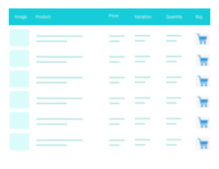
Front-end View 
Settings 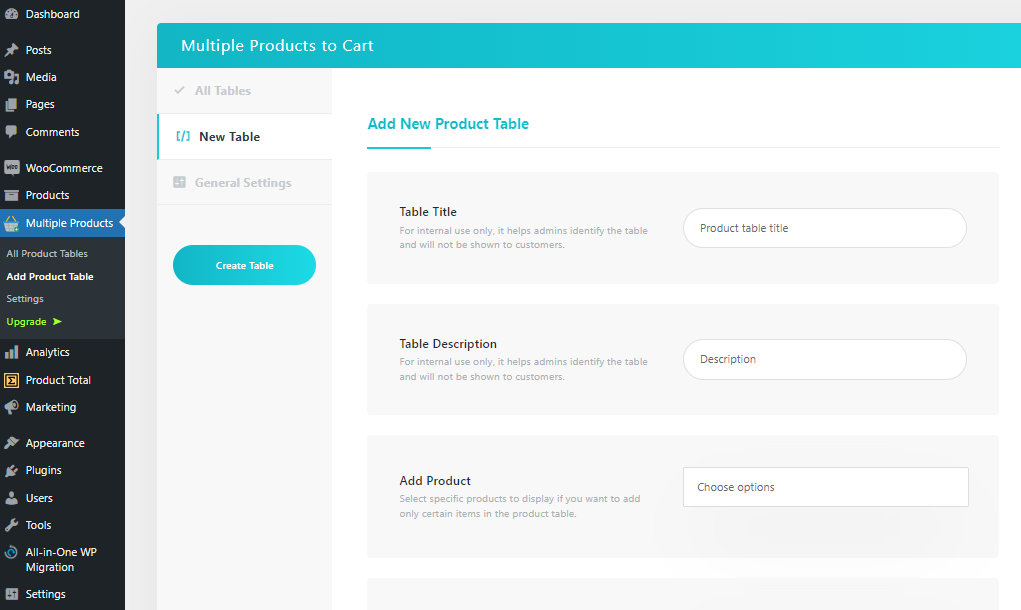
Add Product Table
སྒྲིག་འཇུག
- Upload the plugin folder “multiple-products-to-cart-for-woocommerce” to the
/wp-content/plugins/directory, or install the plugin through the WordPress plugins screen directly. - Activate the plugin through the ‘Plugins’ screen in WordPress
- In the left menu bar of the dashboard Multiple Products > Settings
FAQ
-
Does it support multisite?
-
Yes.
-
How can I add a product table in pages?
-
You can add new product table using the shortcode generator. Simply go to Multiple Products > Add Product Table
-
Where is the settings?
-
In the left menu bar of the dashboard Multiple Products > Settings
-
How can I modify the product table?
-
The WooCommerce product table template can be overridden by copying it to
yourtheme/templates/listing-list.php. -
Will it work on any theme or page builder?
-
Yes, it will work fine on any standard theme or page builder like Gutenberg, Elementor, DIVI, WPBakery Composer etc.
-
Where can I get PRO support?
-
Most of our PRO customer’s problem solved within 24 hours of their first contact. Please contact here if you are a PRO customer.
-
Do you support customizations?
-
Yes, just send your request here.
གདེང་འཇོག


བྱས་རྗེས་འཇོག་མཁན། & གསར་འབྱེད་པ།
“Multiple Products to Cart – WooCommerce Product Table” is open source software. The following people have contributed to this plugin.
བྱས་རྗེས་འཇོག་མཁན།


“Multiple Products to Cart – WooCommerce Product Table” has been translated into 1 locale. Thank you to the translators for their contributions.
ཁྱེད་ཀྱི་སྐད་ཡིག་ནང་ལ་ “Multiple Products to Cart – WooCommerce Product Table” ཡིག་སྒྱུར་བྱོས།
Interested in development?
Browse the code, check out the SVN repository, or subscribe to the development log by RSS.