
ཞིབ་བརྗོད།
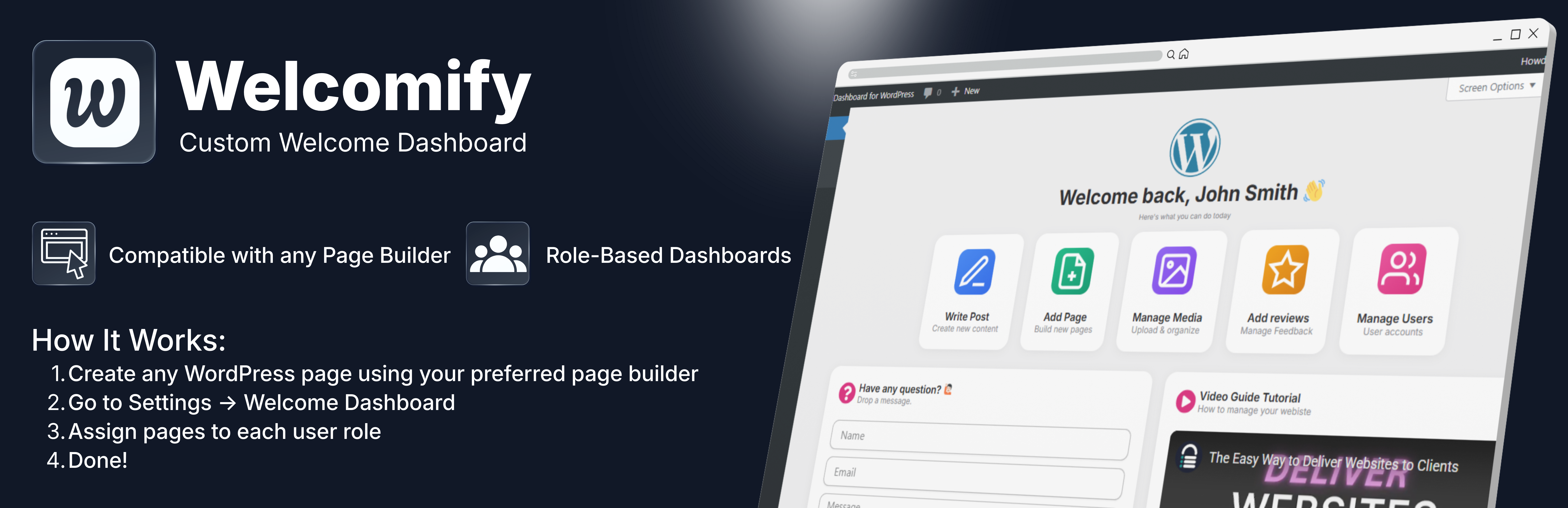
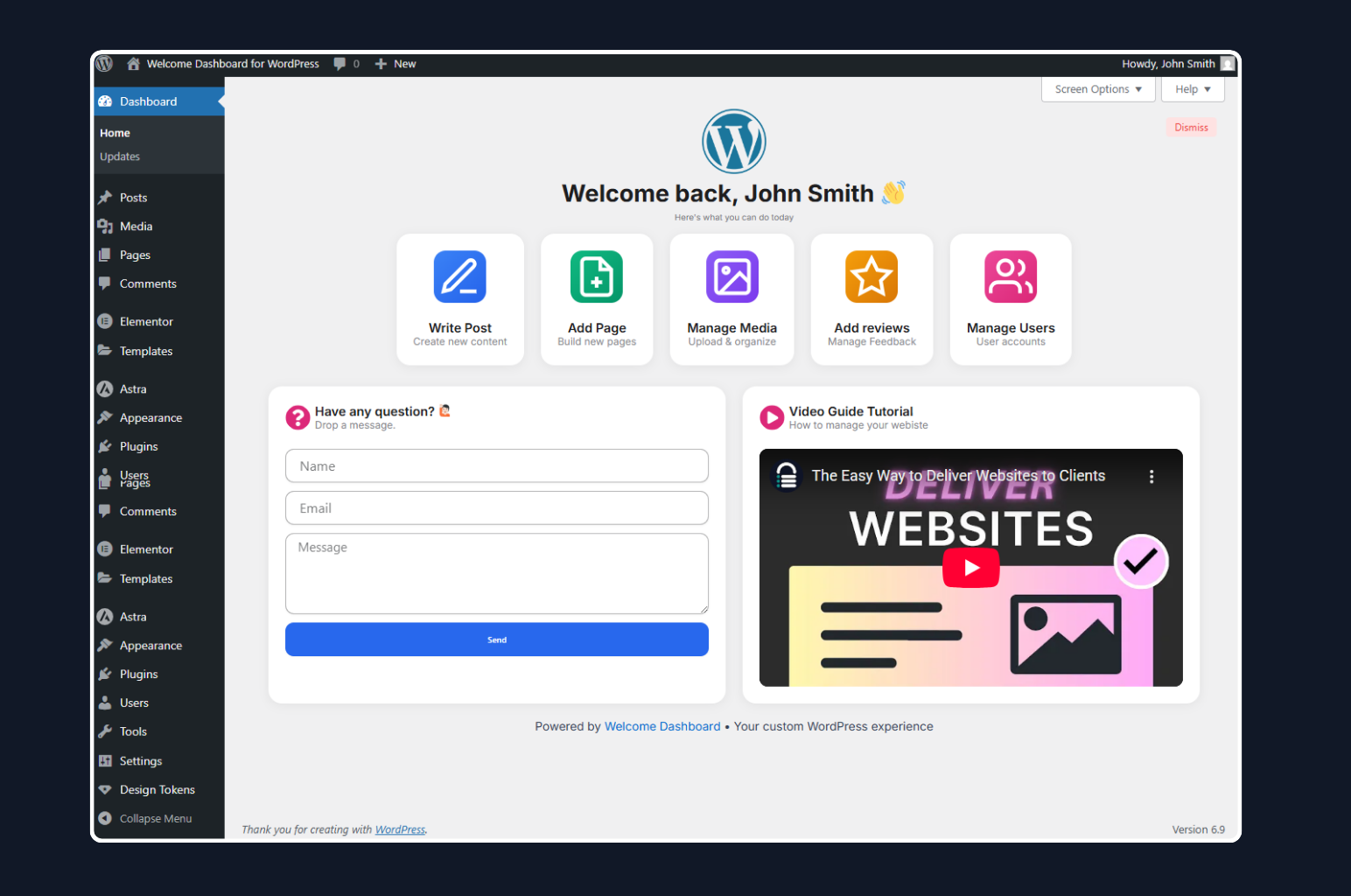
Welcomify allows you to replace the default WordPress welcome panel with any page you create using your favorite page builder – Elementor, Gutenberg, Bricks, Divi, and more.
Key Features
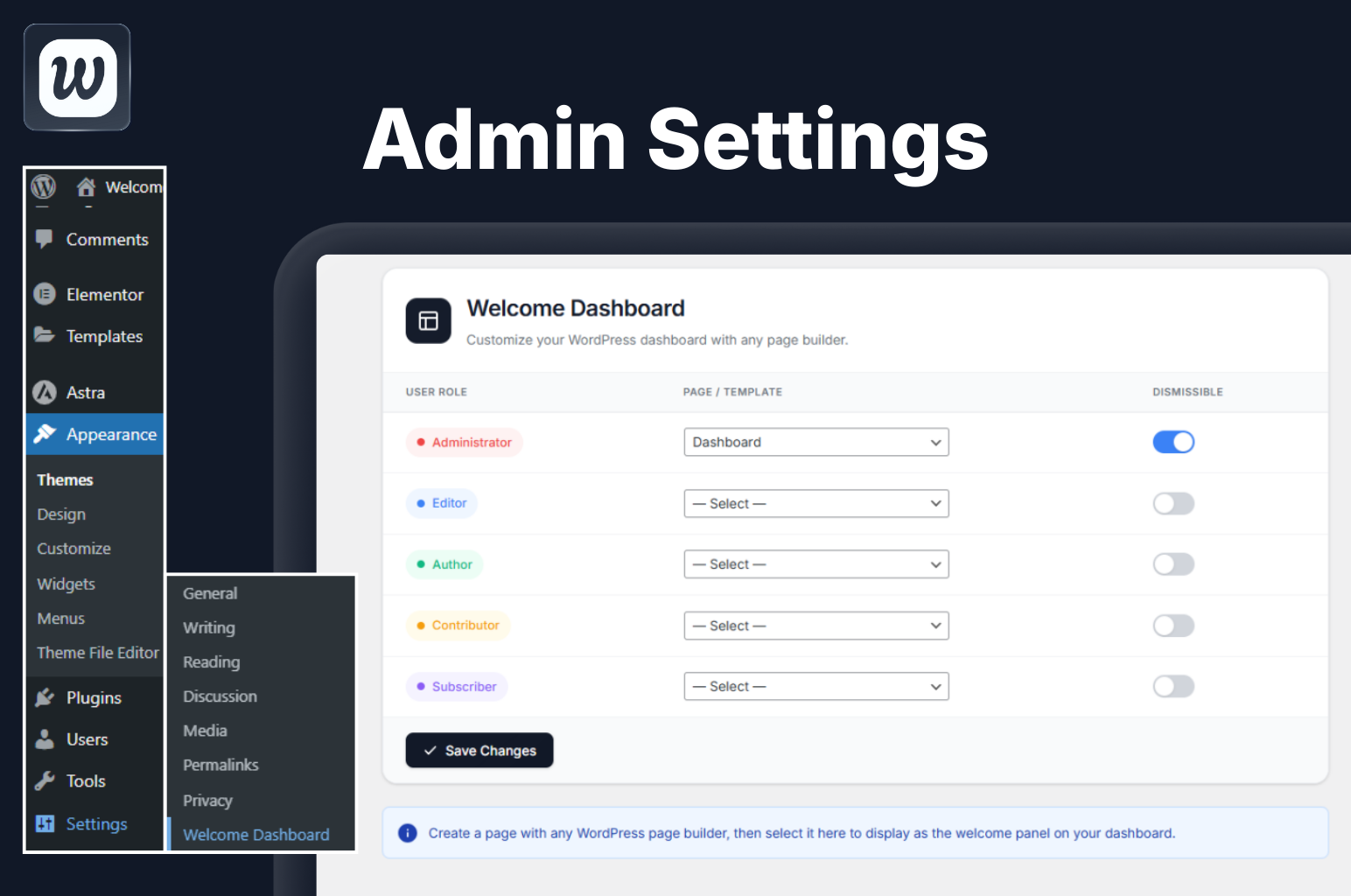
- Role-Based Dashboards – Assign different welcome pages for each user role (Administrator, Editor, Author, Contributor, Subscriber)
- Page Builder Compatible – Works with Elementor, Gutenberg, Bricks, Divi, Beaver Builder, Breakdance, and more
- Dismissible Option – Allow users to dismiss the welcome panel if desired
- Clean Embed – Pages are displayed cleanly without headers, footers, or sidebars
- Multisite Support – Full support for WordPress multisite networks
- Lightweight – No bloat, just the features you need
- Translation Ready – Fully internationalized and ready for translation
Use Cases
- Create a branded onboarding experience for new users
- Display important announcements to specific user roles
- Show quick-start guides for content creators
- Present analytics dashboards to administrators
- Welcome clients with custom messages
How It Works
Welcomify supports two ways to display content on the dashboard, depending on your page builder:
For Elementor & Bricks (Templates)
- Go to Elementor > Templates or Bricks > Templates and create a new template
- Design your welcome dashboard content and save the template
- Go to Welcomify in the admin menu
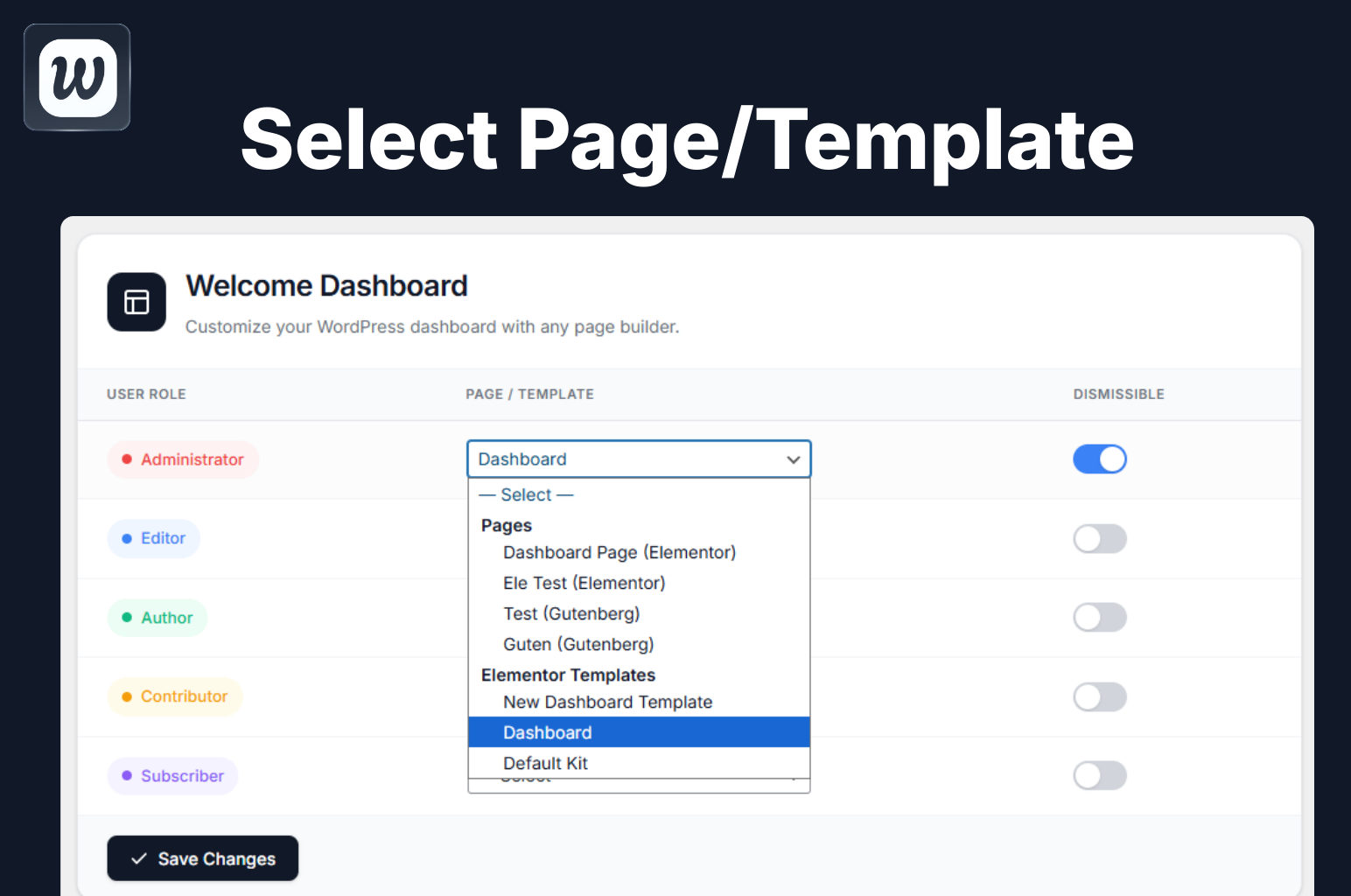
- Select your template from the Elementor Templates or Bricks Templates section in the dropdown
- Assign it to a user role and save
For Gutenberg, Divi, Beaver Builder, Breakdance & Others (Pages)
- Create a new WordPress page using your preferred page builder
- Design your welcome dashboard content — the page can be published, private, or even password protected
- Go to Welcomify in the admin menu
- Select your page from the Pages section in the dropdown — it will show a label indicating which builder was used
- Assign it to a user role and save
That’s it! When users visit the WordPress dashboard, they will see your custom content instead of the default welcome panel.
གཏུབ་རེིས།
སྒྲིག་འཇུག
- Upload the plugin folder to
/wp-content/plugins/directory - Activate the plugin through the Plugins menu in WordPress
- Go to Welcomify main menu to configure
- Select a page created with any page builder and assign it to user roles
FAQ
-
Does this plugin require Elementor?
-
No! While Elementor is fully supported, you can use any page builder or the default WordPress Block Editor (Gutenberg).
-
Can I show different pages to different user roles?
-
Yes! This is the core feature. You can assign a unique page to each user role.
-
Will this work with my theme?
-
Yes, the plugin embeds your page content in an iframe, so it works independently of your theme.
-
Is multisite supported?
-
Yes, full multisite support is included. You can even hide settings from subsites if needed.
-
Can users dismiss the welcome panel?
-
Yes, you can enable/disable the dismissible option for each user role individually.
-
Can I use Elementor or Bricks templates directly?
-
Yes! For Elementor and Bricks, you select saved templates directly from the Elementor Templates or Bricks Templates sections in the dropdown. Simply go to Elementor > Templates or Bricks > Templates, create your design there, and it will appear in the Welcomify dropdown. For all other builders (Gutenberg, Divi, Beaver Builder, Breakdance), you create a regular WordPress page instead.
-
What happens if I delete an assigned page?
-
The plugin automatically detects deleted pages and falls back to the default WordPress welcome panel. No broken dashboards!
-
Can I use draft, private, or password protected pages?
-
Yes, you can use pages with any status — published, draft, private, or even password protected. This is useful for creating welcome pages that won’t be visible on the front end or indexed by search engines.
གདེང་འཇོག

བྱས་རྗེས་འཇོག་མཁན། & གསར་འབྱེད་པ།
“Welcomify – Custom Welcome Dashboard” is open source software. The following people have contributed to this plugin.
བྱས་རྗེས་འཇོག་མཁན།
ཁྱེད་ཀྱི་སྐད་ཡིག་ནང་ལ་ “Welcomify – Custom Welcome Dashboard” ཡིག་སྒྱུར་བྱོས།
Interested in development?
Browse the code, check out the SVN repository, or subscribe to the development log by RSS.
དག་བཅོས་ཉིན་ཐོ།
1.4.1
- Updated the translation template so all current strings are available to translators
- No functional changes
1.4.0
- New modern dropdown UI with keyboard navigation support
- Renamed “Dashboard” submenu label to “Settings” for clarity
- Added Elementor Templates and Bricks Templates sections for template-based builders
- Added Divi, Beaver Builder, and Breakdance page support in Pages section
- Smart builder detection – labels only show when the builder plugin is active
- Improved deleted page handling – automatically falls back to default WordPress welcome
- Fixed layout with centered dropdown for consistent UI
1.3.3
- Added PRO addon compatibility hooks
- Added filter ‘umy_wdw_settings_title’ for title override
- Added action ‘umy_wdw_pro_template_library’ for PRO template handling
- Added PRO badge to Template Library submenu
- Template Library now shows as PRO feature
1.3.2
- Fixed menu icon not displaying
- Fixed template library page blank issue (images not loading on WP.org)
- Renamed image files to use hyphens instead of spaces for better URL compatibility
1.3.1
- Fixed missing menu icon issue on some admin themes
- Fixed blank template library page issue
1.3.0
- Moved plugin settings to a top-level admin menu for better accessibility
- Added Template Library page with Upgrade to Pro option
- Added compatibility detection for Bricks, Divi, Beaver Builder, Oxygen, and Breakdance
- Improved admin UI with modern design elements
1.2.0
- Fixed white space flickering when closing accordions or dynamic content in the embedded page
- Improved iframe height detection using requestAnimationFrame for smoother updates
- Added direct file access protection to uninstall.php
1.1.0
- Fixed links opening inside the embedded iframe instead of navigating the main window
- Links now correctly open in the parent window for proper navigation
1.0.0
- Initial release
- Role-based dashboard pages
- Elementor, Gutenberg, Divi, Bricks Builder, Beaver Builder, Oxygen, and Breakdance support
- Multisite support
- Dismissible option per role
- Translation ready