

ཞིབ་བརྗོད།
Social media feeds should look good, load quickly and keep working without adding unnecessary tracking to your website.
Feedivo collects your posts in the background and stores them on your own site, including images and videos. This gives your visitors a fast, dependable feed while keeping you in control of the content shown on your website.
Works with Elementor
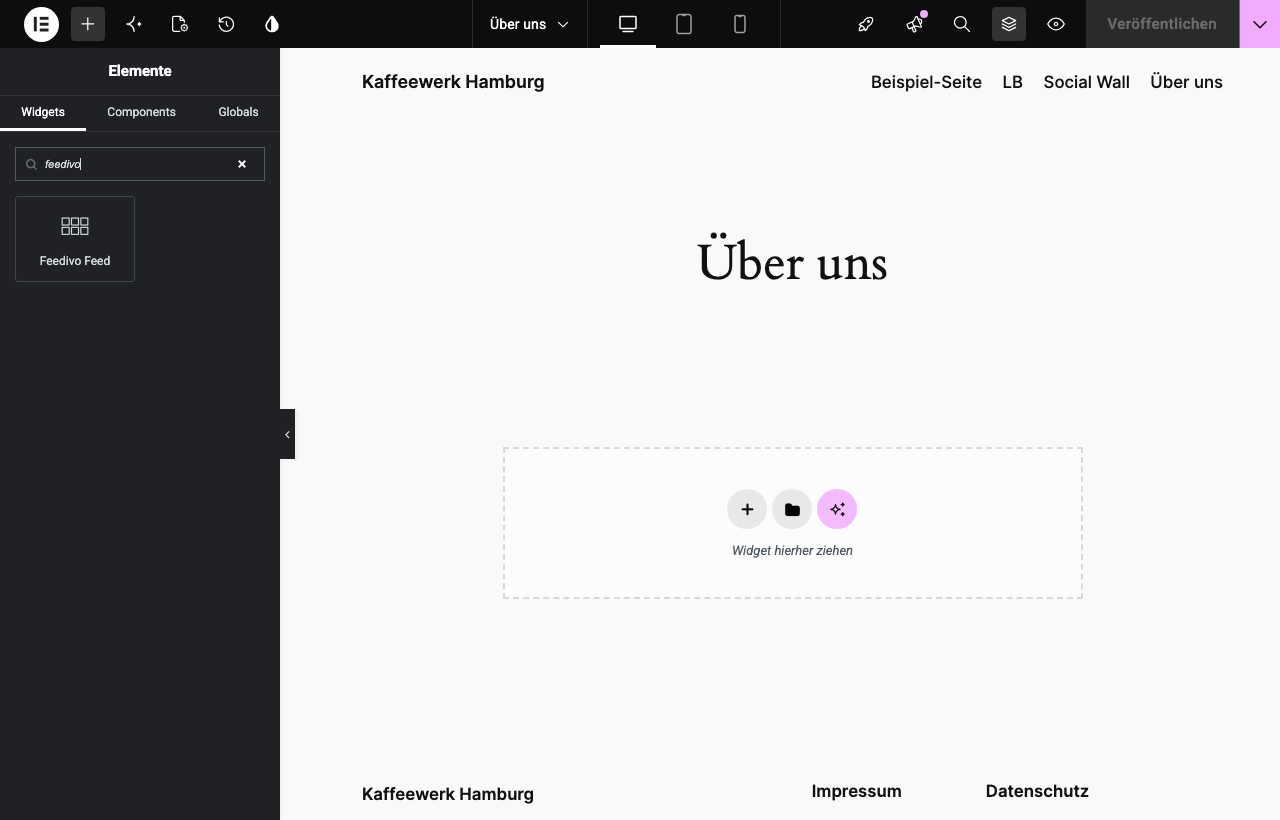
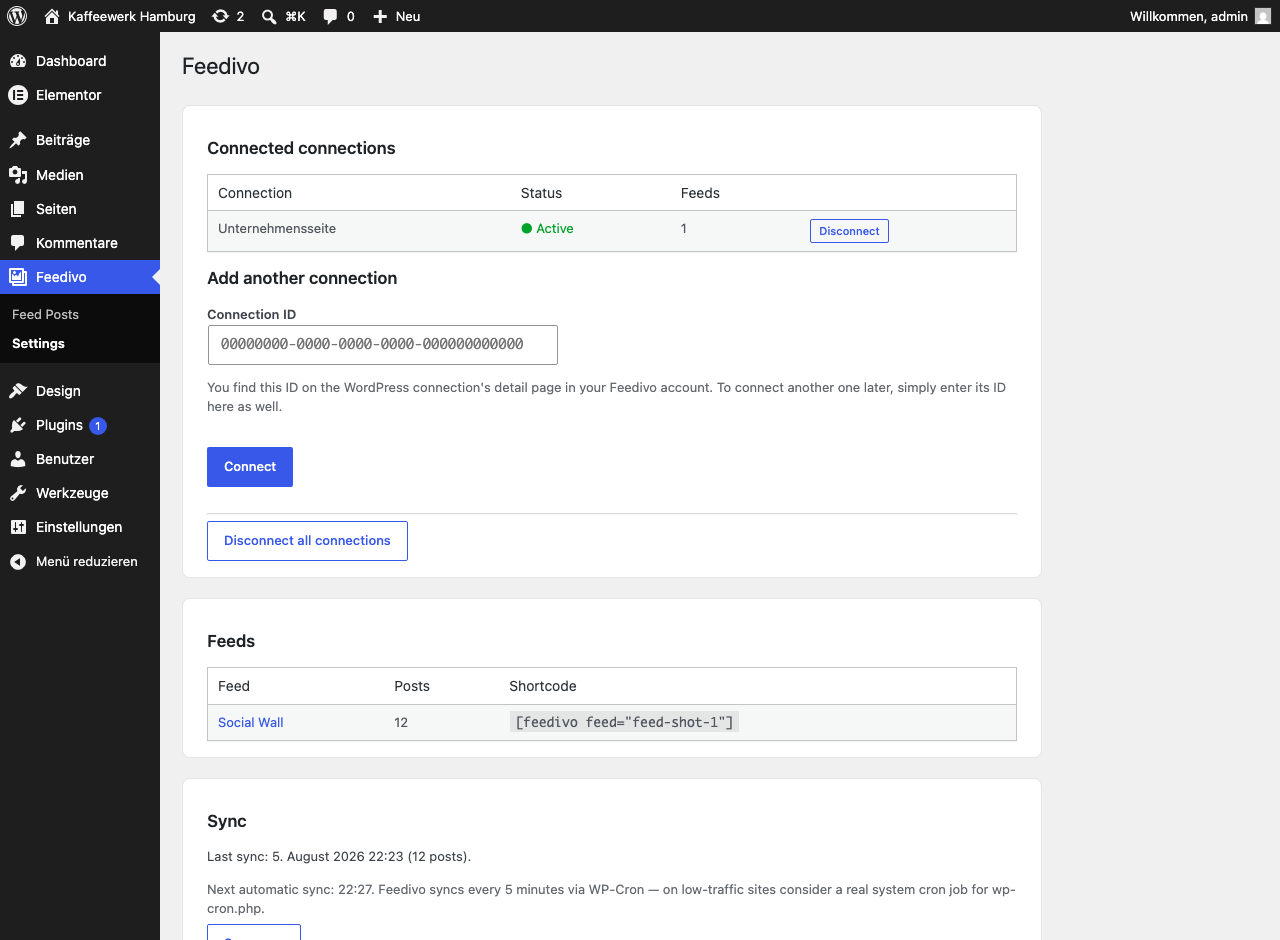
The plugin ships an Elementor widget: drop Feedivo Feed onto the canvas, pick your feed, done. Building with the block editor or a classic theme instead? Use the shortcode [feedivo feed="your-feed-id"] — the settings page lists a ready-made one for every feed. Both render the same feed, and the appearance comes from Feedivo either way.
Five networks, one feed
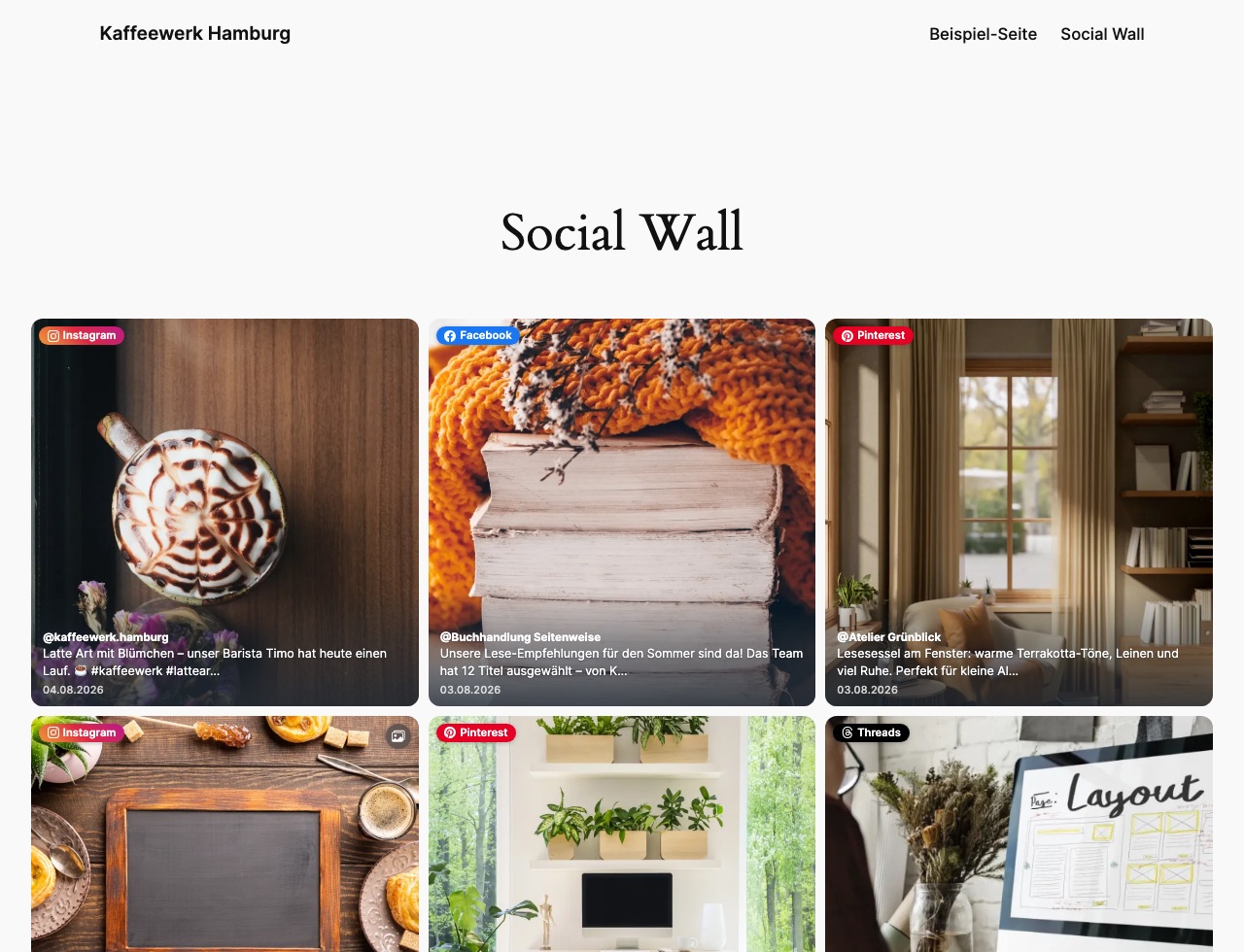
Instagram, Facebook, Threads, Pinterest and YouTube — mixed into a single feed or kept apart. Filter by network, hashtag, media type or date. Reels, Shorts and Stories are recognised as what they are, so you can include or exclude them on purpose.
Looks the way you want
Grid, masonry, list or carousel, plus columns, spacing, aspect ratio, corners and your own accent colour. Set it once per feed in Feedivo and every place you embedded that feed follows.
Fast and privacy-friendly by design
- Feed posts, images and videos are served from your own website.
- Media is stored in your WordPress media library for reliable display.
- Visitors do not have to wait for a social network API when they open the page.
- YouTube videos load from YouTube’s privacy-enhanced domain only after a visitor chooses to play them.
What you need
A Feedivo account. The service does the connecting, filtering and media handling; this plugin displays the result. Setup takes one connection ID and no API keys.
External services
This plugin connects your site to Feedivo (https://feedivo.de), a social media feed service. The plugin requires a Feedivo account and does not work without one. All communication happens from your server — never from your visitors’ browsers — and no data about your visitors is ever sent.
Your site contacts the Feedivo API at https://feedivo.de in these situations:
- When you connect your site (pressing “Connect” on the settings page): your site sends the connection ID you entered, your site address and the plugin version. This binds the connection to your site and returns an access token. Feedivo stores the site address and plugin version so you can tell in your account which site a connection belongs to.
- When feeds are synced (every five minutes in the background, and when you press “Sync now”): your site sends the access token and receives your feed settings and posts — captions, dates, links and media addresses — which are then stored locally on your site.
- When media is downloaded (during a sync): your site downloads the images and videos belonging to those posts into your own media library. From then on, visitors load them from your site only.
- When the settings page is opened (at most once per minute): your site sends the access token to check whether each connection is still valid, so a connection removed or paused in Feedivo shows up here immediately.
- When you disconnect (pressing “Disconnect”): your site sends the access token of that connection so the binding is released in your Feedivo account.
Use of the service is subject to its terms and privacy policy:
Terms of Service: https://feedivo.de/agb
Privacy Policy: https://feedivo.de/datenschutz
གཏུབ་རེིས།
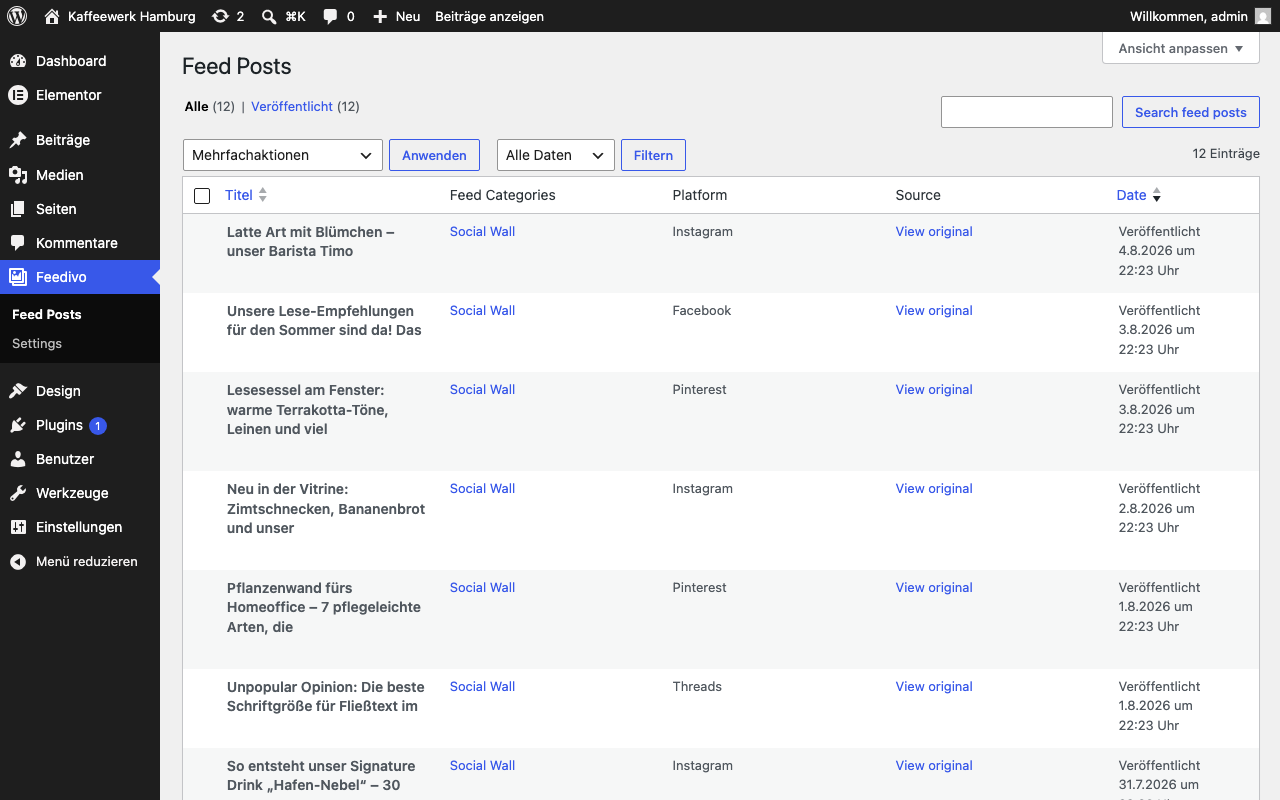
སྒྲིག་འཇུག
- Install and activate the plugin.
- In your Feedivo account, create a WordPress connection and copy its connection ID from the connection’s page.
- In WordPress, go to Feed Posts Settings, paste the ID and press Connect.
- The first sync starts within a minute. Afterwards, add a feed to any page with the ready-made shortcode listed on the settings page, or with the Feedivo Feed widget in Elementor.
FAQ
-
Do I need a Feedivo account?
-
Yes. The plugin shows feeds that are built and hosted in Feedivo; it does not connect to Instagram, Facebook, Threads, Pinterest or YouTube on its own.
-
Where do I find my connection ID?
-
In your Feedivo account, create a WordPress connection. Its ID is shown on that connection’s page. Every connection has its own ID, and you can connect several to the same site.
-
Is this good for privacy?
-
Your visitors’ browsers never contact a social network. Posts and media are served from your own site, and the plugin adds no tracking of any kind. The one exception is a YouTube video: its player loads only when a visitor actually clicks play, and it uses YouTube’s no-cookie domain.
-
How quickly do new posts appear?
-
Within minutes. The plugin checks for new content every five minutes in the background.
-
Can I edit the posts in WordPress?
-
No, and that is on purpose — they are managed in Feedivo and stay read-only here, so a sync never overwrites your edits. Change captions and filters in Feedivo instead.
-
What happens when I remove a post or feed in Feedivo?
-
Posts deleted or hidden in Feedivo disappear from your website automatically. When you remove a feed, the plugin also cleans up the content and media that are no longer needed.
-
What happens if I uninstall?
-
Everything the plugin created is removed: synced posts, feed categories and the media files it downloaded. Your own content is untouched.
-
Why is my feed not displayed correctly?
-
If a feed looks different from the preview, appears incomplete or does not respond as expected, a caching or performance plugin may have changed files needed for its display. First clear all website caches and reload the page. If the problem remains, exclude Feedivo from CSS and JavaScript optimization in your performance plugin. Feedivo 1.14.0 and later can automatically recover from many styling changes. More help is available in the Feedivo documentation.
གདེང་འཇོག
There are no reviews for this plugin.
བྱས་རྗེས་འཇོག་མཁན། & གསར་འབྱེད་པ།
“Feedivo” is open source software. The following people have contributed to this plugin.
བྱས་རྗེས་འཇོག་མཁན།
“Feedivo” has been translated into 1 locale. Thank you to the translators for their contributions.
ཁྱེད་ཀྱི་སྐད་ཡིག་ནང་ལ་ “Feedivo” ཡིག་སྒྱུར་བྱོས།
Interested in development?
Browse the code, check out the SVN repository, or subscribe to the development log by RSS.
དག་བཅོས་ཉིན་ཐོ།
1.15.2
- Feed styling now recovers from a wider range of caching and performance plugins.
1.15.1
- Feed display now also recovers when an optimization plugin alters the rules that control how many columns a feed shows, not only the ones behind the lightbox.
1.15.0
- Carousel feeds can now show a slice of the next tile, so visitors can see there is more to scroll. Switch it on per feed in your Feedivo account.
1.14.1
- Fixed emoji and special characters appearing as raw character codes instead of the actual character in captions on feed tiles and in the lightbox.
1.14.0
- Improved compatibility with caching and performance plugins.
- Feed styling now recovers automatically when an optimization affects its display.
- Feed post links now use the clearer
/feed-posts/address. - Added clearer guidance for creating and connecting a Feedivo account after activation.
1.13.1
- Improved the shortcode example in the plugin description.
1.13.0
- Added convenient links to settings, documentation and support on the Plugins screen.
- Improved WordPress.org integration and user information.
1.12.0
- Feeds now follow the post order configured in Feedivo more reliably.
- New posts appear sooner after they are published.
- Stories are displayed appropriately and disappear after they expire.
- Improved connection information and background updates.
- Improved the appearance of the “Load more” button.
1.11.0
- New display styles: mosaic grid, seamless masonry, seamless carousel and a film-strip carousel.
- New aspect ratios: tall (9:16, for Reels, Shorts and Stories) and landscape (16:9, for YouTube).
- New per-feed options: carousel autoplay, square corners, hover effect and a custom accent colour.
1.10.0
- Pinned posts now appear first in embedded feeds.
- Feed sorting now matches the order selected in Feedivo.
1.9.0
- Feeds on the Feedivo Free plan show a small “Provided by Feedivo” link below the feed. Paid plans can switch it off per feed.
1.8.0
- Paused feeds keep their existing content and show a clear notice.
1.7.1
- Added clearer messages when something needs attention.
1.7.0
- YouTube support: videos play in the embedded player on the privacy-friendly no-cookie domain, loaded only on click.
1.6.0
- Pinterest support.
1.5.1
- Improved the appearance of feeds across different WordPress themes.
1.5.0
- Added individual connection IDs for easier setup.
1.4.0
- Improved reliable video playback in the lightbox.
1.3.0
- Added support for multiple Feedivo connections on one website.
- Improved handling when connections are removed.
1.2.0
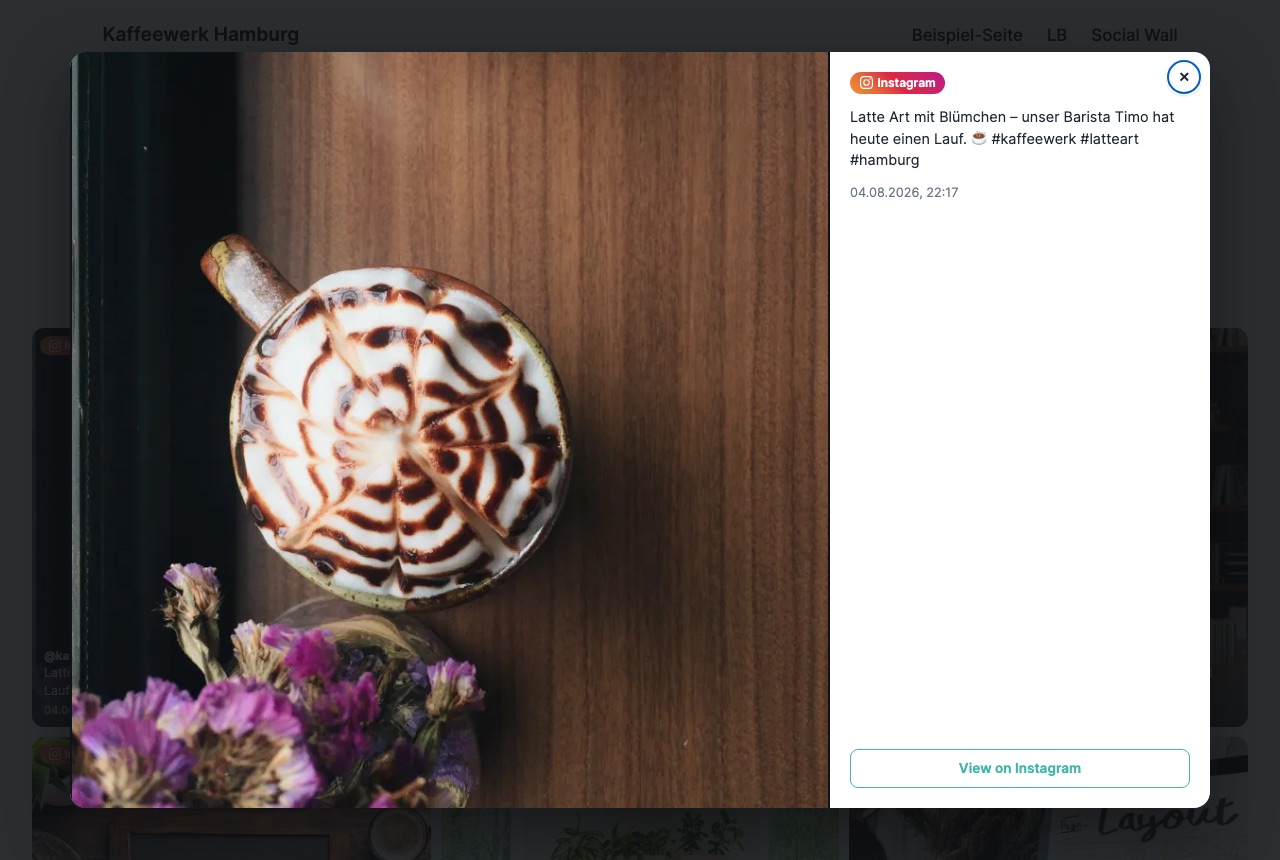
- Introduced a redesigned lightbox with media, post details and a link to the original.
1.1.0
- Threads support.
1.0.0
- Initial release.