

ཞིབ་བརྗོད།
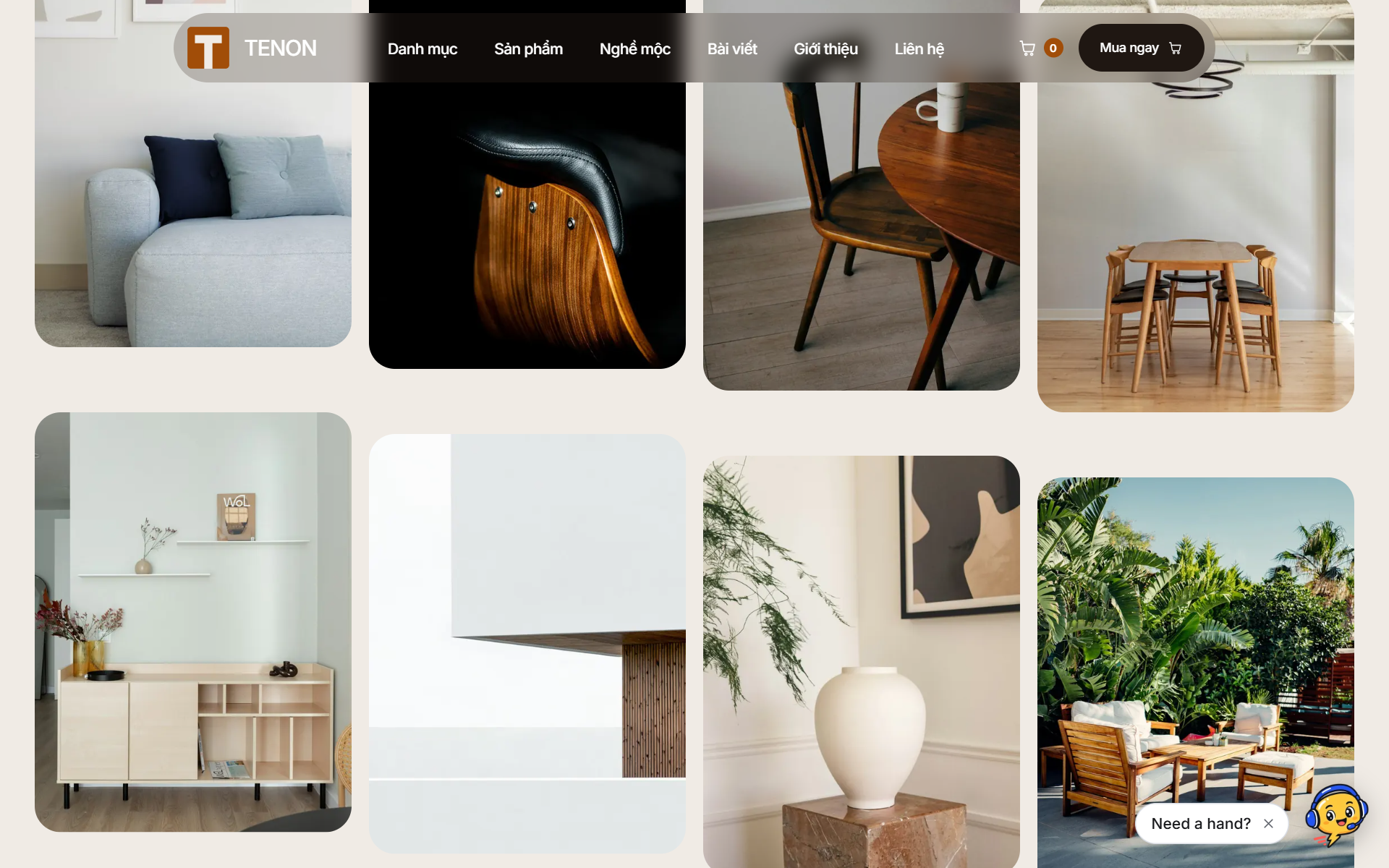
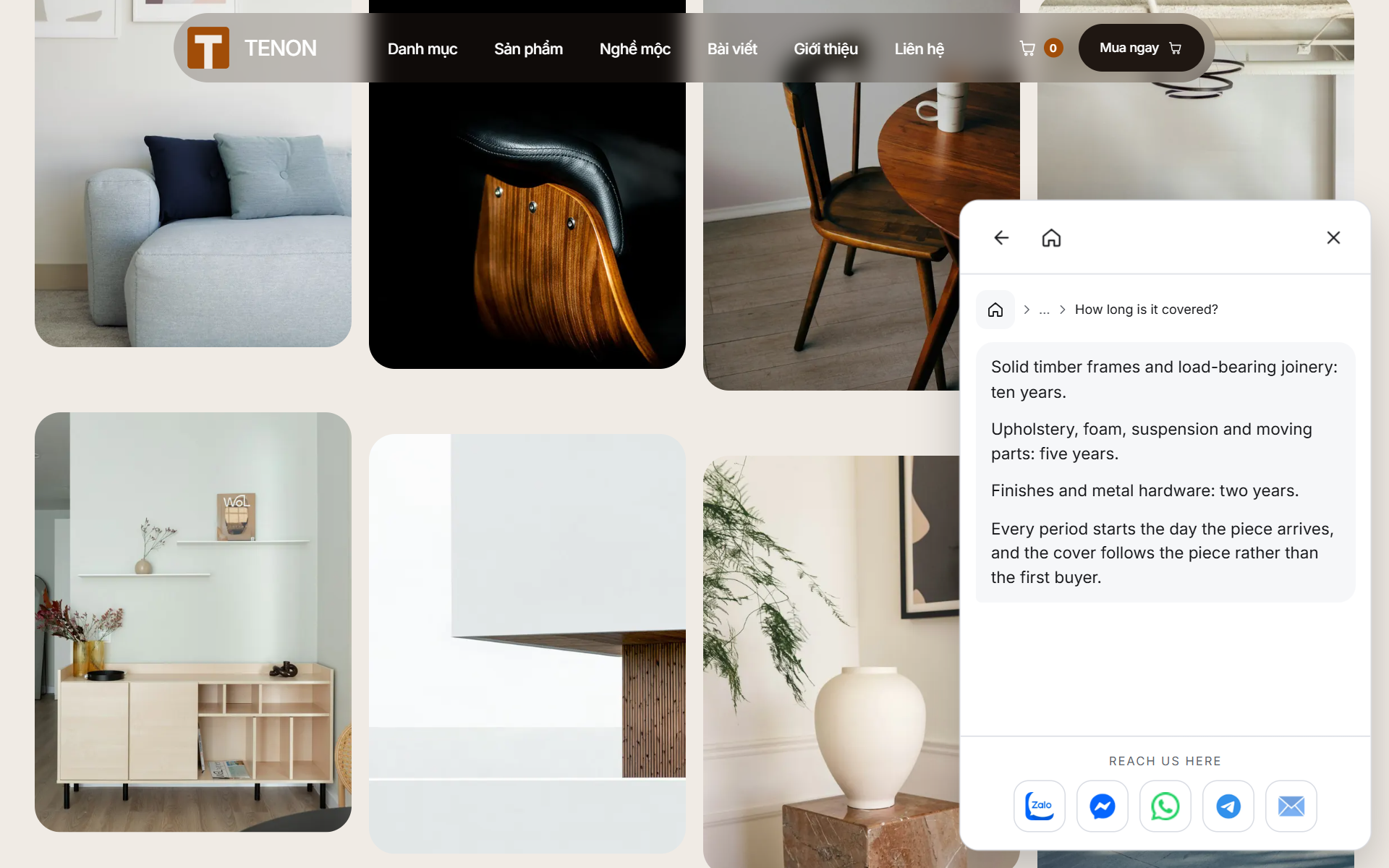
Web22 Scripted Chat puts a small chat widget in the corner of your site. Visitors tap through a set of topics you prepared, and each one shows the answer you wrote. There is no free-text box and no artificial intelligence involved, so the widget can never invent a price, promise a refund policy you do not offer, or say anything you did not write.
Everything runs on your own server. Nothing is sent to an outside service, there is no account to create, and there is no per-message cost.
How it works
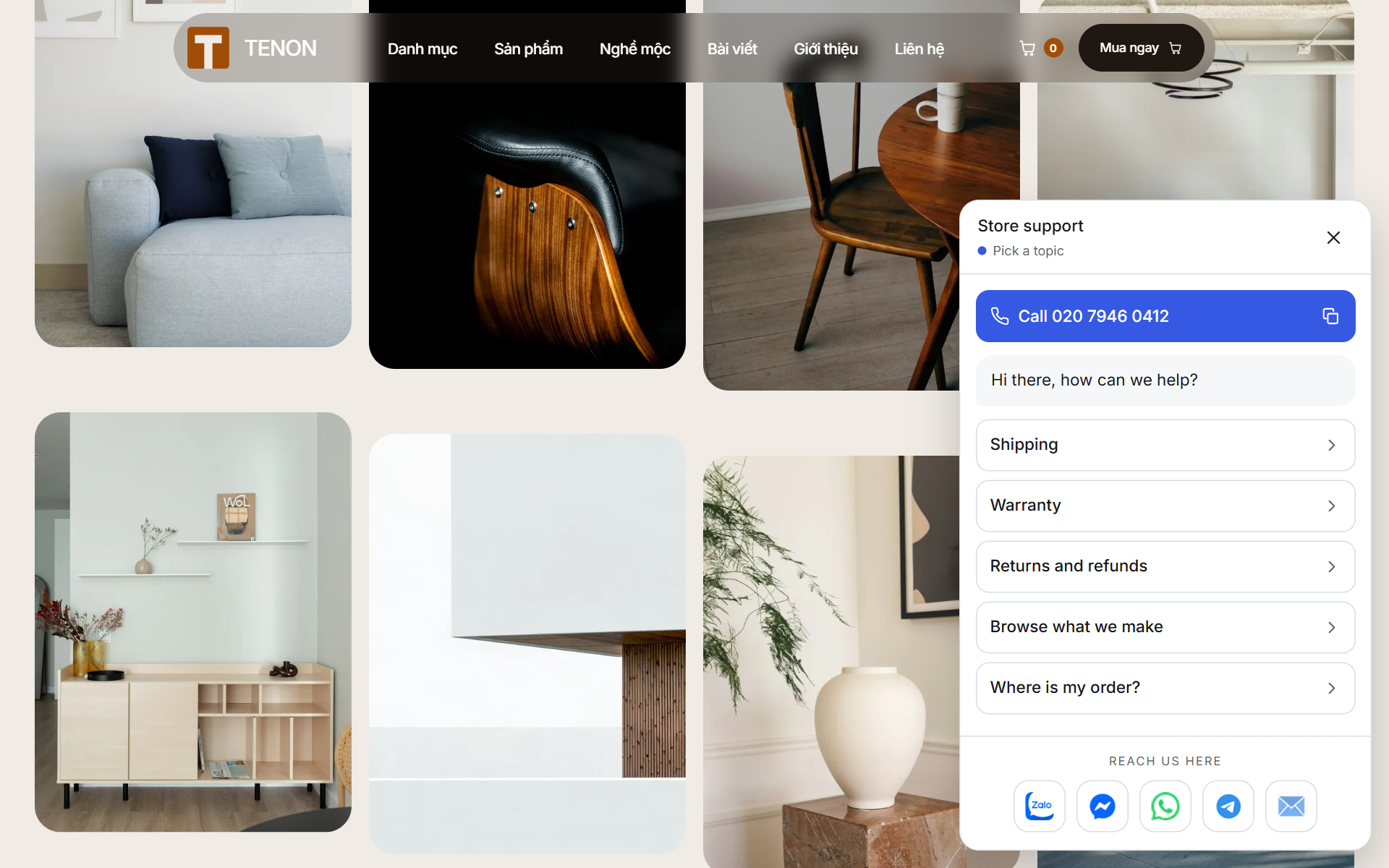
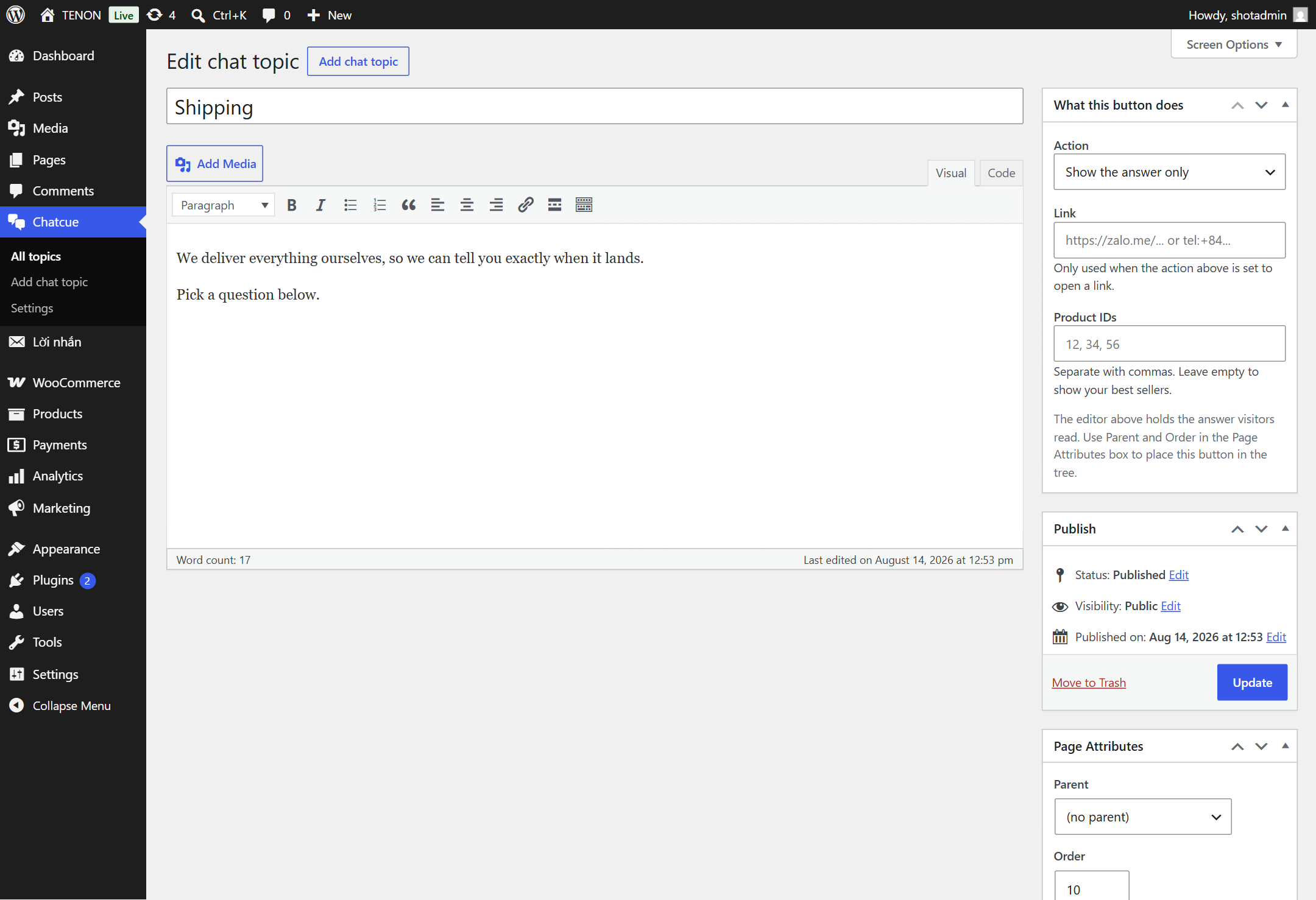
Each topic is an ordinary WordPress entry. The title becomes the button label, the editor holds the answer, and the Page Attributes box places it in the tree — pick a parent to nest it under another topic, and set the order to arrange buttons within the same level. That is the whole model, so anyone who can write a page can extend the chat.
A call button and a row of contact links
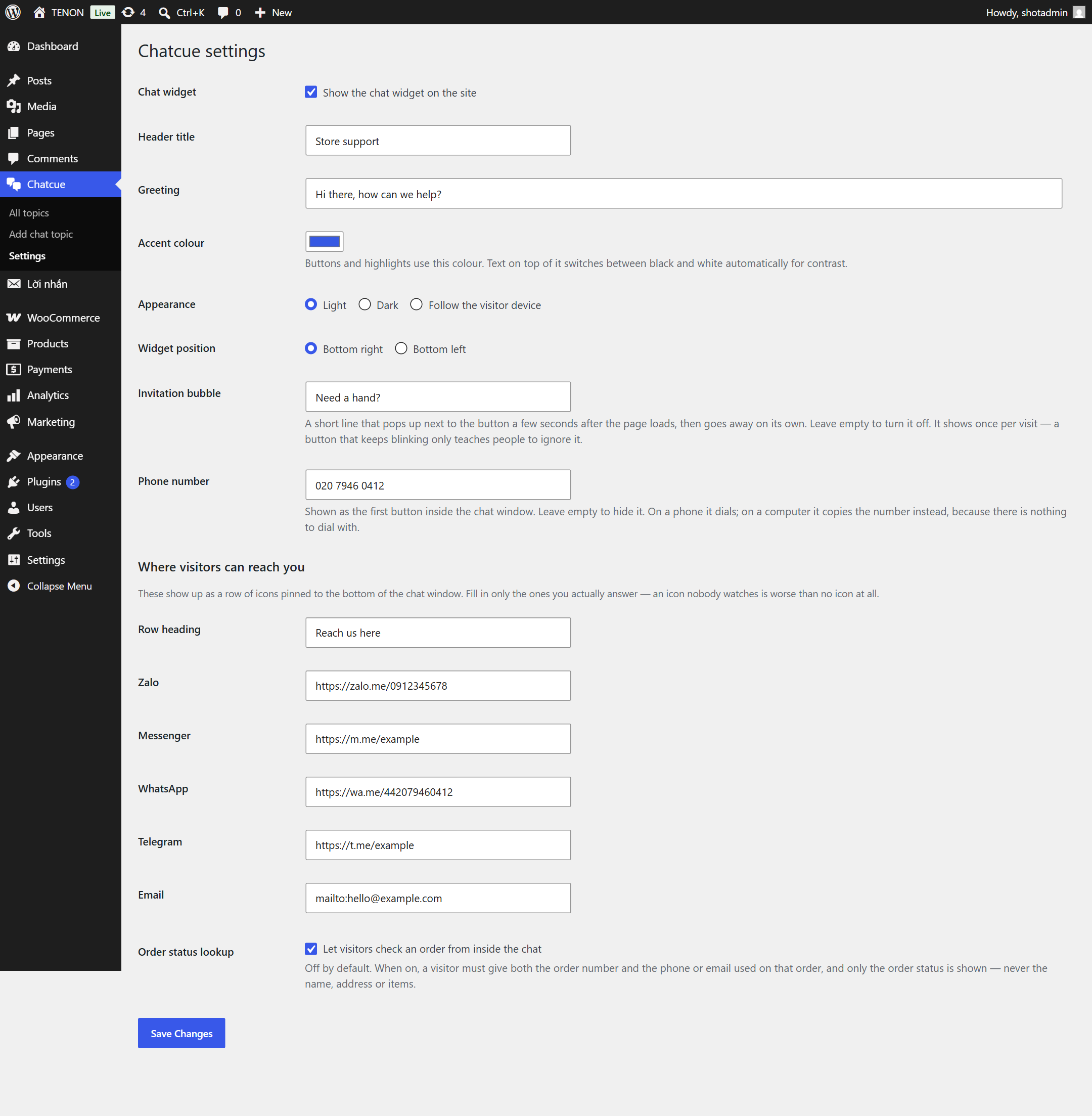
Enter a phone number and it becomes the first button inside the widget. On a phone it dials; on a computer it copies the number instead, because there is nothing there to dial with. Below the answers sits a row of contact icons — Zalo, Messenger, WhatsApp, Telegram, Email — and only the ones you fill in show up. They are plain links: no outside script is loaded and no request leaves your site until a visitor taps one.
With WooCommerce
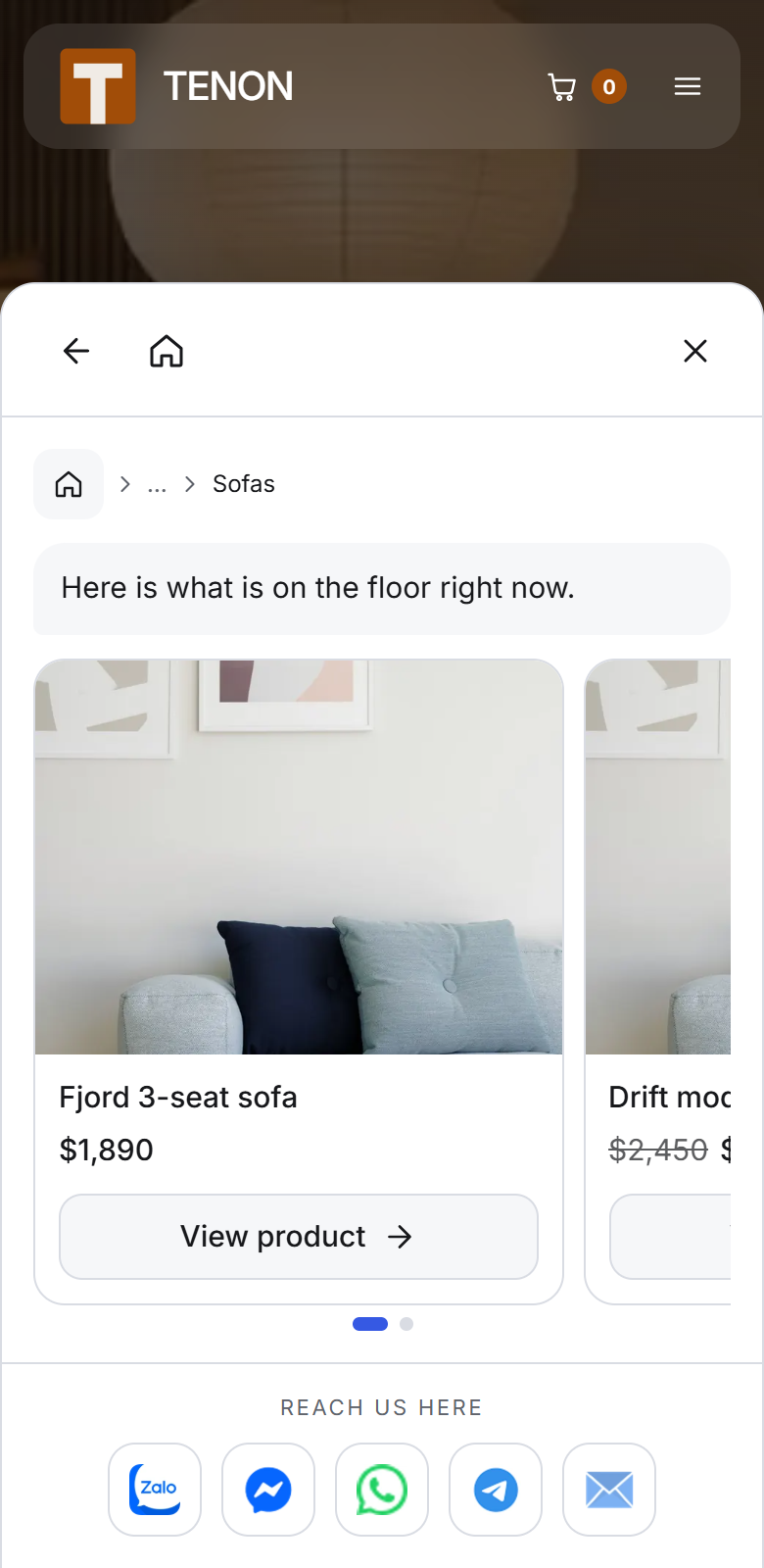
If WooCommerce is active, topics can also show product cards, and you can optionally turn on an order status lookup. The lookup is off by default: when you switch it on, a visitor has to supply both the order number and the phone or email used on that order, and only the status is shown — never the name, address or items.
Built for the real world
- Works with any theme — colours come from CSS variables and the widget uses your site fonts.
- Light and dark, or follow the visitor device.
- Keyboard friendly, with visible focus and a close button that always stays reachable.
- Respects reduced-motion preferences.
- Steps aside for sticky bottom bars instead of covering them.
- No external requests, no bundled fonts, no tracking.
གཏུབ་རེིས།
སྒྲིག་འཇུག
- Upload the plugin folder to
/wp-content/plugins/or install it from the Plugins screen. - Activate it.
- Go to Web22 Chat in the admin menu and add your first topics.
- Open Web22 Chat Settings to set the header title, greeting, accent colour and position.
FAQ
-
Does this use AI?
-
No. Every answer is text you wrote. The widget only shows what is in your topics, which means it cannot make anything up.
-
Does it cost anything to run?
-
No. There is no external service and no message quota.
-
Can visitors type their own question?
-
No, and that is deliberate. The only place a visitor types anything is the optional order lookup, where the order number and contact detail are entered.
-
Do I need WooCommerce?
-
No. Without WooCommerce you get the full guided chat. With it, you also get product cards and the optional order lookup.
-
Is any data sent anywhere?
-
No. The plugin makes no outbound requests.
-
What happens to my topics if I delete the plugin?
-
Deactivating changes nothing. Deleting the plugin from the Plugins screen removes its settings and every chat topic, so export anything you want to keep first.
གདེང་འཇོག
There are no reviews for this plugin.
བྱས་རྗེས་འཇོག་མཁན། & གསར་འབྱེད་པ།
“Web22 Scripted Chat” is open source software. The following people have contributed to this plugin.
བྱས་རྗེས་འཇོག་མཁན།
ཁྱེད་ཀྱི་སྐད་ཡིག་ནང་ལ་ “Web22 Scripted Chat” ཡིག་སྒྱུར་བྱོས།
Interested in development?
Browse the code, check out the SVN repository, or subscribe to the development log by RSS.
དག་བཅོས་ཉིན་ཐོ།
1.0.0
- First release.